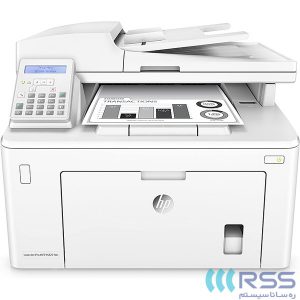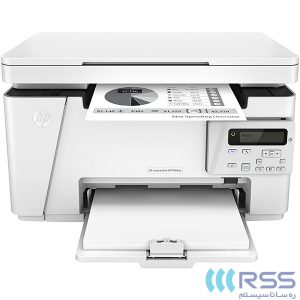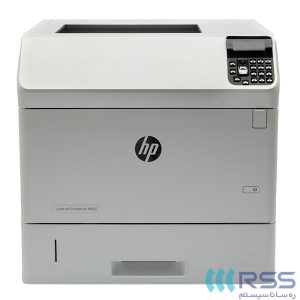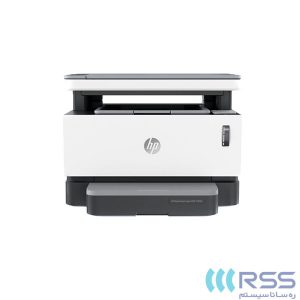
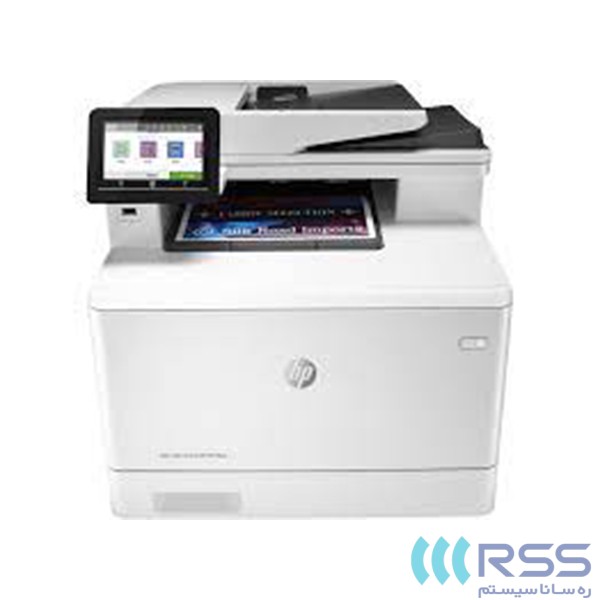
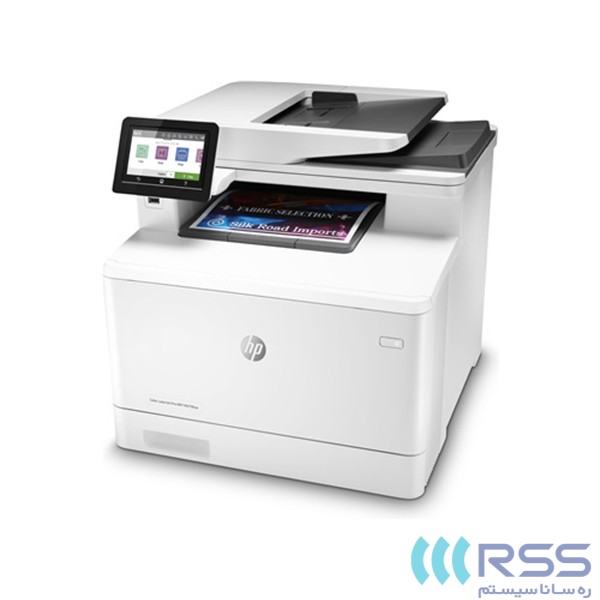
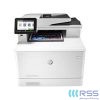
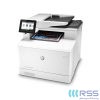
پرینتر لیزری اچ پی مدل LaserJet Pro MFP M479fnw

- نوع چاپ: رنگی
- تکنولوژی چاپ: چاپ لیزری
- کاربری: چهارکاره
- سایز چاپ: A4
- اتصال به کامپیوتر: پورت USB 2.0، پورت اترنت و Wifi
- قابلیت چاپ دو رو: دارد
پرینتر لیزری اچ پی مدل HP Printer LaserJet Pro MFP M479fnw
پرینتر لیزری رنگی LaserJet Pro MFP M479fnw یکی از محصولات شرکت اچ پی HP با توانایی انجام کارهای پرینت، اسکن، کپی و فکس است. سرعت چاپ این پرینتر چندکاره در سایز A4 و حالتهای رنگی و سیاه سفید 27 برگ در دقیقه با رزولوشن 600×600 dpi است. سرعت اسکن نیز در حالت تک رو برای محتوای سیاه سفید به 29، محتوای رنگی به 20 و در حالت دو رو برای عکسهای سیاه سفید 46 و عکس رنگی 35 عکس در دقیقه میرسد. همچنین بصورت استاندارد میتوان حداکثر 300 برگ را در دستگاه قرار داد.
این محصول از دو درگاه USB 2.0(یک درگاه در جلوی دستگاه برای دسترسی راحتتر)، درگاه شبکه 1000/100/10 مگابیتی، Wi-Fi 802.11b/g/n، نمایشگر لمسی رنگی 4.3 اینچی، بلوتوث و پرینت بصورت موبایل به همراه وای فای دایرکت پشتیبانی میکند. پرینتر چهار کاره اچ پی M479fnw برای استفاده در محیط اداری مناسب است.
این محصول را میتوانید از ره سانا سیستم با بهترین قیمت تهیه کنید.
| مدل | HP Color LaserJet Pro MFP M479fnw |
| کد محصول | W1A78A |
| ابعاد | 400*416*461 میلیمتر |
| وزن | 22.6 کیلوگرم |
| تکنولوژی چاپ | چاپ لیزری |
| کاربری | چهارکاره رنگی |
| رنگ | سفید |
| نوع چاپ | رنگی |
| سایز چاپ | A4 |
| سرعت چاپ سیاه و سفید | 30 برگ در دقیقه |
| سرعت چاپ رنگی | 30 برگ در دقیقه |
| سرعت چاپ دو رو | 16 برگ در دقیقه |
| چاپ اولین صفحه | 9.7 ثانیه سیاهوسفید و 11.3 ثانیه رنگی |
| رزولوشن چاپ | تا 600*600 (dpi) |
| تکنولوژی وضوح چاپ | HP ImageREt 3600 |
| توان کار ماهانه | حداکثر 50,000 صفحه، توصیهشده 750 تا 4,000 صفحه |
| زبان چاپ | HP PCL 6, HP PCL 5c, HP postscript level 3 emulation, PDF, URF, Native Office, PWG Raster |
| قابلیت چاپ دو رو | دارد |
| قابلیت چاپ بر روی CD | ندارد |
| فیدر خودکار اسناد | تا 50 صفحه |
| ویژگی نرمافزار هوشمند | صفحه گرافیکی لمسی 4.3 اینچی، چاپ دورو غیر خودکار، قابلیت پربینت بیسیم، پورت شبکه اترنت، خاموش و روشنشدن خودکار، Apple AirPrint™; Google Cloud Print™; HP ePrint; HP Smart App; Mobile Apps; Mopria™ Certified; Wi-Fi® Direct Printing; Roam capable for easy printing |
| سایز کاغذ قابل استفاده | Tray 1, Tray 2: A4; A5; A6; B5 (JIS); B6 (JIS); 16K (195 x 270 mm, 184 x 260 mm, 197 x 273 mm); 10 x 15 cm; Oficio (216 x 340 mm); postcards (JIS single, JIS double); envelopes (DL, C5, B5); Optional Tray 3: A4; A5; A6; B5 (JIS); B6 (JIS); 16K (195 x 270 mm, 184 x 260 mm, 197 x 273 mm); 10 x 15 cm; Oficio (216 x 340 mm); postcards (JIS single, JIS double); |
| نوع کاغذ قابل استفاده | کاغذ (باند، بروشور، رنگی، براق، سنگین، سربرگ، سبک، عکس، ساده، از پیش چاپ شده، از پیش آماده، بازیافت، زبر) نامه، کارت پستال، لیبل، کاغذ کارتنسازی |
| وزن کاغذ قابل استفاده | 60 تا 120 g/m² |
| ابعاد کاغذ قابل استفاده | 76*127 تا 216*356 میلیمتر / 100*148 تا 216*356 میلیمتر |
| ظرفیت سینی ورودی کاغذ | تا 300 برگ |
| ظرفیت سینی خروجی کاغذ | تا 150 برگ |
| تکنولوژی کارتریج | لیزری |
| تعداد کارتریجهای چاپی | 4 عدد (مشکی، زرد، فیروزهای، سرخابی) |
| ظرفیت تونر | قابلیت چاپ تا 2400 برگ مشکی و 2100 برگ رنگی |
| کارتریجهای جایگزین | AMS: For distribution and use in North America and Latin America only: HP 414A Black LaserJet Toner Cartridge (~2,400 pages), W2020A; HP 414A Cyan LaserJet Toner Cartridge (~2,100 pages), W2021A; HP 414A Yellow LaserJet Toner Cartridge (~2,100 pages), W2022A; HP 414A Magenta LaserJet Toner Cartridge (~2,100 pages), W2023A; HP 414x Black LaserJet Toner Cartridge (~7,500 pages), W2020x; HP 414x Cyan LaserJet Toner Cartridge (~6,000 pages), W2021x; HP 414x Yellow LaserJet Toner Cartridge (~6,000 pages), W2022x; HP 414x Magenta LaserJet Toner Cartridge (~6,000 pages), W2023x; EMEA: For distribution and use in Europe, Middle East, Russia, CIS, and Africa only: HP 415A Black LaserJet Toner Cartridge (~2,400 pages), W2030A; HP 415A Cyan LaserJet Toner Cartridge (~2,100 pages), W2031A; HP 415A Yellow LaserJet Toner Cartridge (~2,100 pages), W2032A; HP 415A Magenta LaserJet Toner Cartridge (~2,100 pages), W2033A; HP 415x Black LaserJet Toner Cartridge (~7,500 pages), W2030x; HP 415x Cyan LaserJet Toner Cartridge (~6,000 pages), W2031x; HP 415x Yellow LaserJet Toner Cartridge (~6,000 pages), W2032x; HP 415x Magenta LaserJet Toner Cartridge (~6,000 pages), W2033x; APJ: For distribution and use only in Asia Pacific only: HP 416A Black LaserJet Toner Cartridge (~2,400 pages), W2040A; HP 416A Cyan LaserJet Toner Cartridge (~2,100 pages), W2041A; HP 416A Yellow LaserJet Toner Cartridge (~2,100 pages), W2042A; HP 416A Magenta LaserJet Toner Cartridge (~2,100 pages), W2043A; HP 416x Black LaserJet Toner Cartridge (~7,500 pages), W2040x; HP 416x Cyan LaserJet Toner Cartridge (~6,000 pages), W2041x; HP 416x Yellow LaserJet Toner Cartridge (~6,000 pages), W2042x; HP 416x Magenta LaserJet Toner Cartridge (~6,000 pages), W2043x |
| اسکنر | دارد |
| نوع اسکنر | ADF, Flatbed |
| تکنولوژی اسکنر | Contact Image Sensor (CIS) |
| سرعت اسکن | تا 29 برگ در دقیقه سیاه و سفید و 20 برگ در دقیقه رنگی |
| رزلوشن ارتقا یافته اسکنر | تا 1200*1200 dpi |
| رزولوشن سختافزاری اسکنر | تا 1200*1200 dpi |
| قابلیتهای ارسال دیجیتال اسکن | Scan to email with LDAP email address lookup, Scan to network folder, Scan to USB, Scan to Microsoft SharePoint®, Scan to computer with software, Fax archive to network folder, Fax archive to email, Fax to computer, Enable/disable fax, Quick Sets |
| سایز اسکن (ADF/Flatbed) | 215.9*297 میلیمتر / 215.9*355.6 میلیمتر |
| حداکثر سایز اسکن | 215.9*355.6 (ADF) و 215.9*297 (Flatbed) میلیمتر |
| روشهای اسکن کردن | از طریق پنل جلویی، کپی، ایمیل، File buttons، نرمافزار اسکن HP، نرمافزارهای دیگر از طریق TWAIN یا WIA |
| فرمت فایلهای اسکن | PDF; JPG; TIFF |
| Levels of grayscale | 256 |
| عمق رنگ | 30-bit |
| فکس | دارد |
| سرعت ارسال و دریافت فکس | 33.6 کیلوبایتبرثانیه |
| حافظه فکس | تا 400 صفحه |
| رزولوشن فکس | تا 300*300 (dpi) |
| شمارهگیری خودکار | دارد |
| شمارهگیری سریع / حداکثر شماره | تا 120 شماره |
| Polling | دارد، (poll to receive only) |
| ارسال فکس | دارد |
| Fax delayed sending | دارد |
| Junk fax barrier | دارد |
| Remote retrieval | دارد |
| Auto fax reduction supported | دارد |
| پشتیبانی از رابط PC | دارد |
| پشتیبانی از گوشی تلفن | دارد |
| Distinctive ring detection supported | دارد |
| پشتیبانی از حالت تلفن | دارد |
| ویژگی نرمافزار هوشمند فکس | Permanent fax memory backup; Auto fax reduction; Auto redialing; Delayed sending; Fax forwarding; TAM interface; Junk barrier; Distinctive ring detection; Cover page; Block fax; Billing codes; Save and load; Fax activity reports; Dial prefix setting; Print fax log; HP Digital Fax |
| کپی | دارد |
| تنظیمات کپی | ID Copy; Number of copies; Resize (including 2-Up); Lighter/Darker; Enhancements; Original Size; Binding Margin; Collation; Tray Selection; Two-Sided; Quality (Draft/Normal/Best); Save Current Settings; Restore Factory Defaults |
| حداکثر تعداد کپی | تا 999 برگ |
| بزرگنمایی کپی | 25 تا 400 درصد |
| سرعت کپی | سیاهوسفید و رنگی تا 27 برگ در دقیقه |
| رزولوشن کپی | سیاهوسفید و رنگی تا 600*600 (dpi) |
| درگاه USB | پورت Hi-Speed USB 2.0 و درگاه اتصال USB جلوی دستگاه |
| پورت شبکه Ethernet | built-in 10/100/1000Base-Tx |
| پورت فکس | دارد |
| بلوتوث | ندارد |
| شبکه بیسیم Wi-Fi | 802.11b/g/n/2.4/5 Ghz |
| قابلیت پرینت موبایل | Apple AirPrint™; Google Cloud Print™; HP ePrint; HP Smart App; Mobile Apps; Mopria™ Certified; Wi-Fi® Direct Printing; Roam capable for easy printing |
| حداکثر حافظه پرینتر | 512 مگابایت NAND Flash و 512 مگابایت DRAM |
| سرعت پردازنده | 1200 مگاهرتز |
| کنترل پنل | صفحه گرافیکی لمسی 4.3 اینچی |
| تکنولوژی صرفهجویی در انرژی | خاموش روشن شدن خودکار |
| مشخصات منبع تغذیه | منبعتغذیه داخلی (Built-in) |
| ولتاژ منبع تغذیه | ولتاژ ورودی 110 ولت: 110 تا 127 ولت/ 50 تا 60 هرتز، ولتاژ خروجی 220 ولت: 220 تا 240 ولت/ 50 تا 60 هرتز |
| توان مصرفی | 550 وات |
| توان مصرفی در حالت Ready و sleep | 20 و 0.7 وات |
| مصرف الکتریسیته معمول | Energy Star: 1.116 kWh/week; Blue Angel: 1.084 kWh/week |
| میزان نویز | 49 dB(A) printing - 48 dB(A) scan - 14 dB(A) ready |
| محدوده رطوبت کاری | 10% تا 80% RH |
| محدوده رطوبت در حالت نگهداری | 0% تا 95% RH |
| محدوده رطوبت کاری توصیه شده | 30% تا 70% RH |
| محدوده دمای کاری | 10 تا 32.5 درجه سانتیگراد |
| محدوده دمای نگهداری | 20- تا 40 درجه سانتیگراد |
| محدوده دمای توصیه شده | 15 تا 27 درجه سانتیگراد |
| قابلیتهای امنیتی | Secure Boot, Secure Firmware Integrity, Runtime Code Integrity, password protected EWS, secure browsing via SSL/TLS 1.0, TLS 1.1, TLS 1.2; IPP over TLS; Network: enable/disable network ports and features, unused protocol and service disablement, SNMPv1, SNMPv2, and SNMPv3, community password change; HP ePrint: HTTPS with certificate validation, HTTP Basic Access Authentication, SASL authentication; LDAP authentication and authorization; Firewall and ACL; control panel lock, certificates configuration, UPD PIN printing, Syslog, signed firmware, administrator settings, access control, 802.1x authentication (EAP-TLS, and PEAP), authentication via WEP, WPA/WPA2 Personal, WPA2-enterprise; encryption via AES or TKIP; Encrypted data storage; Secure data erase; Automatic firmware updates; Secure Encrypted Print via optional job storage, compatible with optional HP JetAdvantage Security Manager, IPPS |
| حداقل سیستم لازم برای ویندوز | 2 GB available hard disk space, Internet connection, USB port, Internet browser. For additional OS hardware requirements see microsoft.com |
| حداقل سیستم لازم برای مک | 2 GB available hard drive space, Internet connection or USB port, OS hardware requirements see apple.com |
| سازگار با سیستم عامل | Windows Client OS (32/64 bit), Win10, Win8.1, Win 8 Basic, Win8 Pro, Win8 Enterprise, Win8 Enterprise N, Win7 Starter Edition SP1, UPD Win7 Ultimate, Mobile OS, iOS, Android, Mac, Apple® macOS Sierra v10.12, Apple® macOS High Sierra v10.13, Apple® macOS Mojave v10.14, Discrete PCL6 Printer Driver, For more information on the supported operating systems go to http://support.hp.com, Enter your product name and search, Click on User Guides and enter your product name and search for User Guide, Search for your (Product Name) User Guide, Search for the Supported Operating Systems section, UPD PCL6 / PS Printer Drivers, Supported Operating systems, For more information on the supported operating systems see www.hp.com/go/upd |
| پروتکلهای شبکه پشتیبانی شده | TCP/IP, IPv4, IPv6; Print: TCP-IP port 9100 Direct Mode, LPD (raw queue support only), Web Services Printing, HP ePrint, Apple AirPrint™, Google Cloud Print 2.0, Mopria, IPP Print; Discovery: SLP, Bonjour, Web Services Discovery; IP Config: IPv4 (BootP, DHCP, AutoIP, Manual), IPv6 (Stateless Link-Local and via Router, Stateful via DHCPv6), SSL Security and Certificate management; Management: SNMPv1, SNMPv2, SNMPv3, HTTP/HTTPS, Syslog, FTP FW Download |
| نرمافزارها | From http://123.hp.com; HP Easy Start (Guided Software Install for Windows and Mac); From http://hp.com for Windows OS; Fullsolution software and drivers; Basicsolution software and drivers; HP PCL6 xPS Discrete Print Driver; Product Documentation and Support; From http://hp.com for Mac OS; HP Easy Start (Guided Software Install); HP Mac PS Print Driver; HP Easy Admin; For Mobile OS; iOS For more information see http://hp.com/go/businessmobileprinting; Android For more information see http://hp.com/go/businessmobileprinting; From http://hp.com for printer administrators; Printer Administrator Resource Kit (Driver Configuration Utility Driver Deployment Utility Managed Printing Administrator); HP Universal Print Drivers PCL6 GDI & PS GDI for Windows; HP ePrint Software (Mobile Driver for Windows); SAP Print Drivers for more information see http://support.hp.com/usen/document/c05051702; HP Web JetAdmin; HP JetAdvantage Security Manager; HP Roam; HPLIP Linux Printer Driver for more information see http://hplipopensource.com/hplipweb/index.html; Unix Model Script Printer Driver for more information see http://hp.com/go/unixmodelscripts; ReadIris |
| نرمافزارهای همراه | بدون CD (نرمافزار در پکیج وجود ندارد)؛ نرمافزار مربوطه قابل دانلود فقط از طریق: hp.com, http://123.hp.com/laserjet و یا: 123.hp.com |
| اقلام همراه | کارتریجهای رنگ مقدماتی HP LaserJet، راهنمای نصب، مدارک پرینتر، سیم برق، کابل USB، کابل فکس |
| brand | اچ پی |
|---|